
native macos app · 01
Muxy
Turn a folder of videos into one.
Muxy tiles every clip in a folder onto one canvas — a video wall, a balanced mosaic, or a clean grid — and exports a single hardware-encoded HEVC movie. Written in Swift, composited with Metal, built for macOS 26.
01 Built for the Mac
Native Swift
Pure Swift from the interface down to the GPU dispatch — no Objective-C, no Electron, no third-party runtimes. Just the app and Apple’s frameworks.
Liquid Glass
Built on macOS 26’s Liquid Glass material — translucent, adaptive surfaces that frost under Reduce Transparency and pick up a border under Increase Contrast, on their own.
Metal, one GPU pass
The whole wall composites in a single batched Metal render pass. Each clip is an IOSurface-backed texture sampled straight off the decoder — no CPU round-trip, no per-frame stitching.
AVFoundation & VideoToolbox
Decoding, compositing, and hardware HEVC encoding all run on Apple’s AVFoundation and VideoToolbox frameworks.
02 What it is
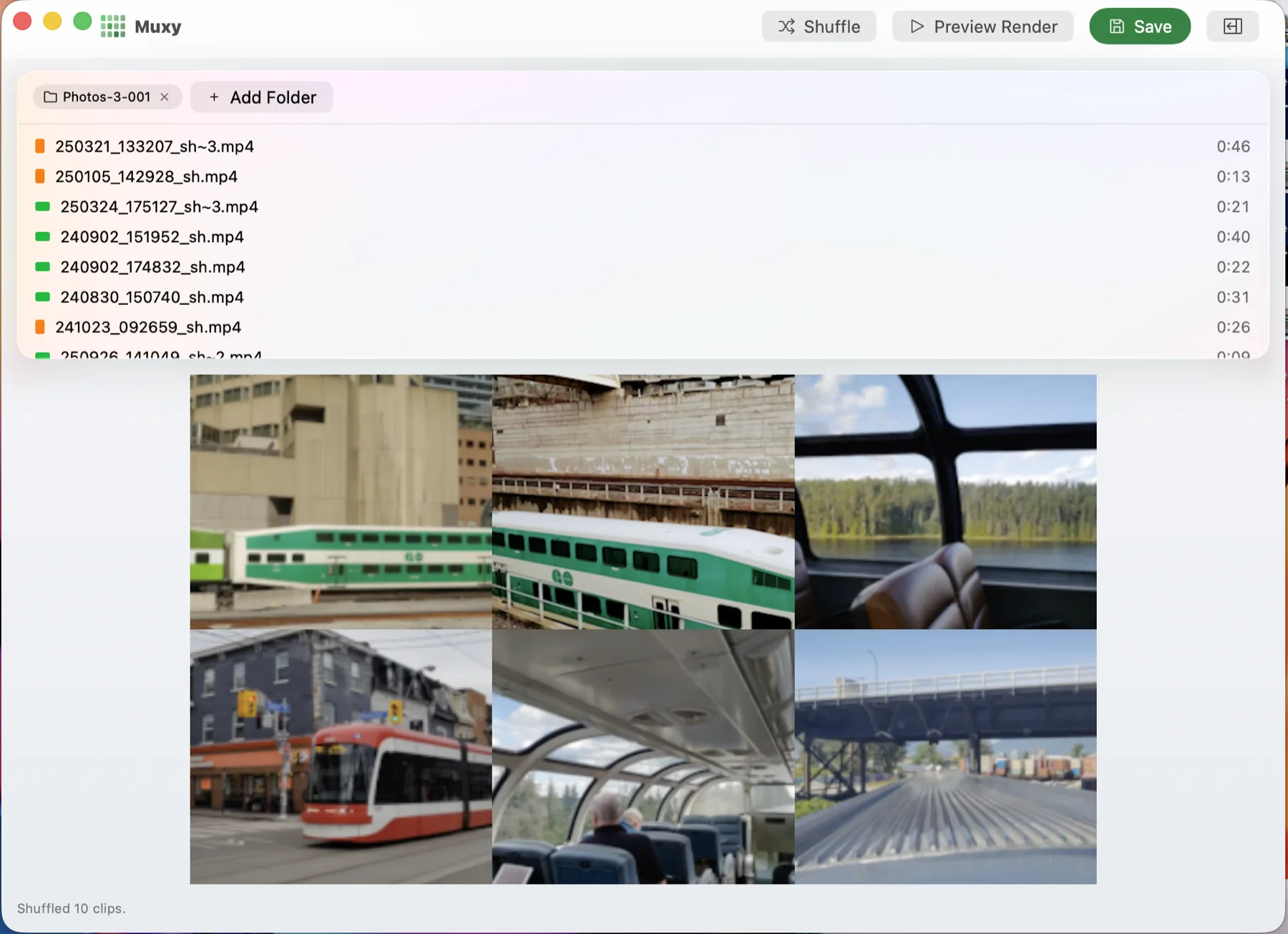
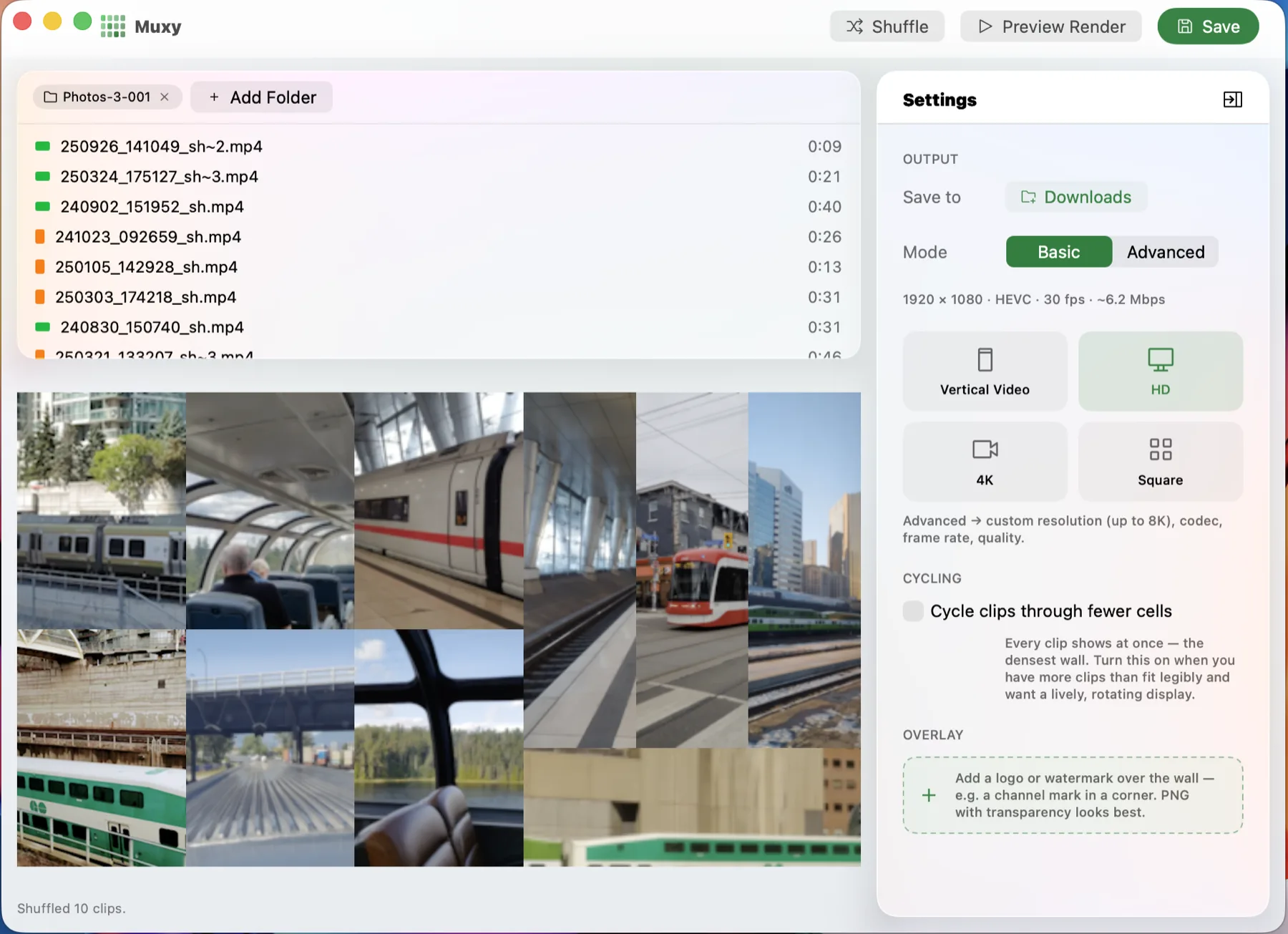
Point Muxy at one or more folders of footage. It scans the clips, reads each one’s resolution and orientation, and lays them out on the canvas shape you choose — landscape, ultrawide, square, or portrait. What comes back is a single video file with everything on screen at once.
It handles mixed portrait and landscape footage in the same wall: it lays out the cells, composites every frame on the GPU, and encodes the result to HEVC in one pass.
03 How it works
- 01
Add folders
Drop in one or more folders. Muxy scans them and probes every clip for resolution, orientation, and duration.
- 02
Pick a canvas
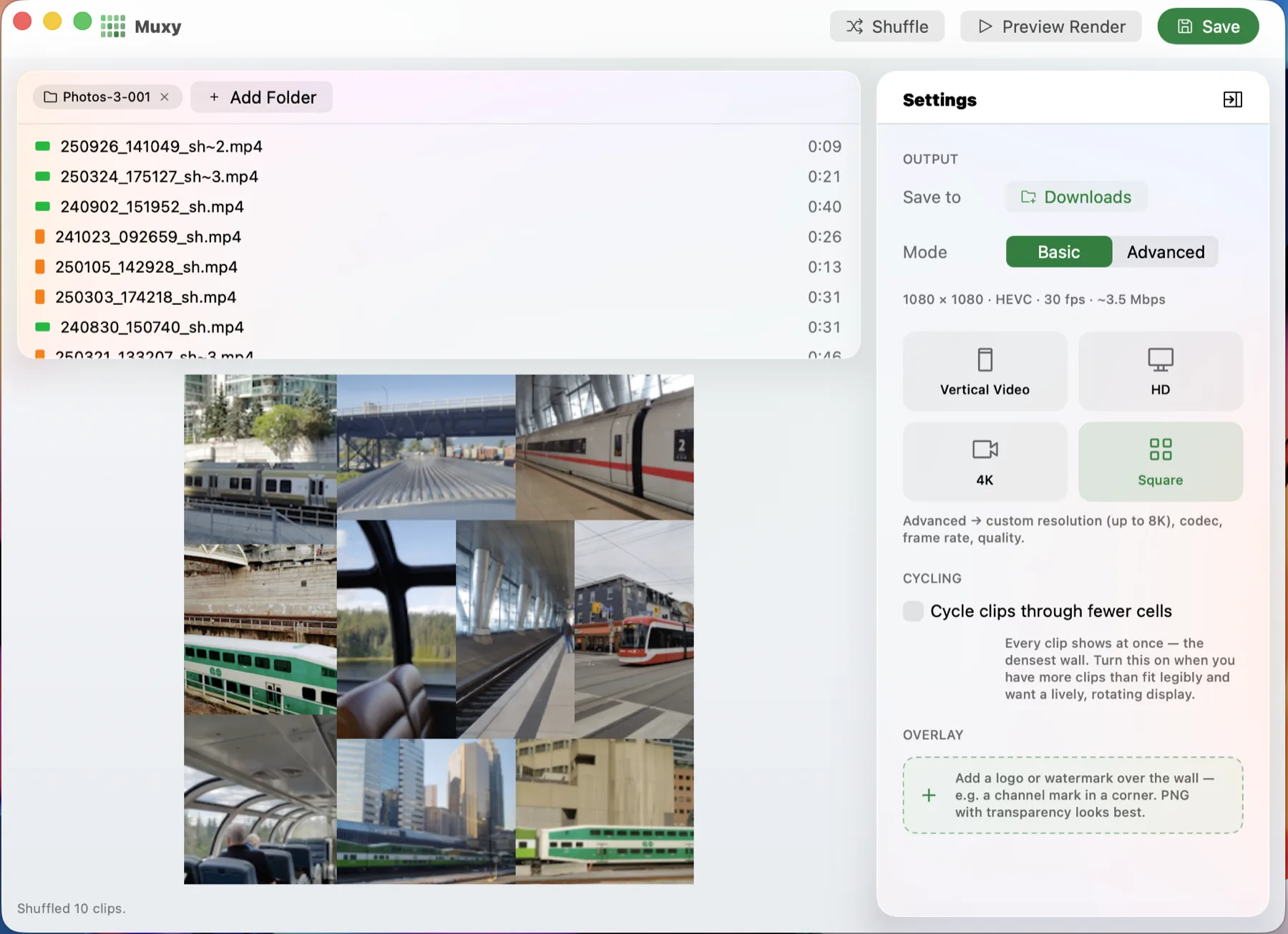
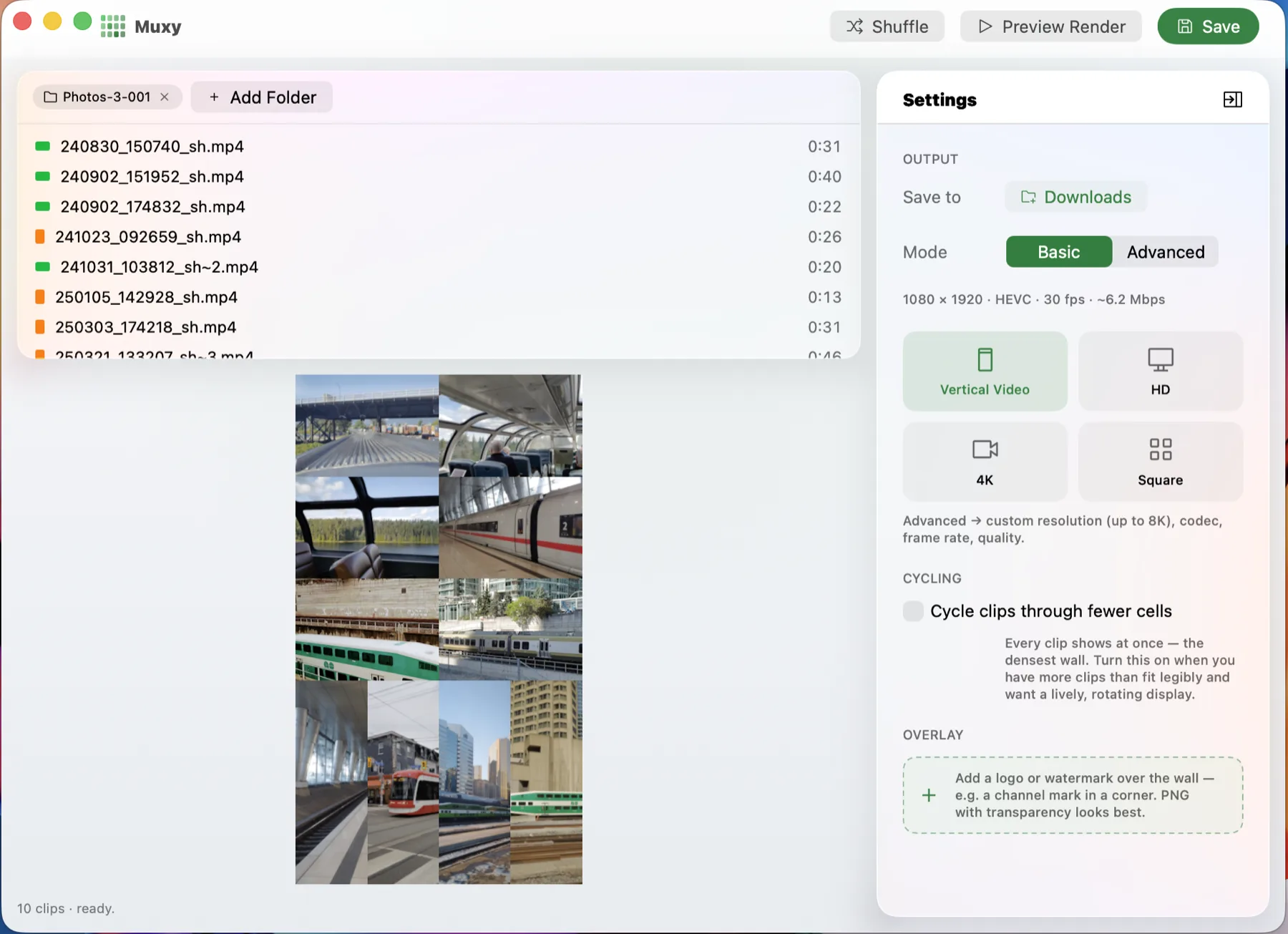
Choose a shape — landscape, ultrawide, square, or portrait — and a target size up to 8K.
- 03
Choose a layout
Grid puts every clip in a uniform cell. Mosaic balances the wall so each clip gets its share, and groups portrait phone clips into columns instead of stretching them.
- 04
Watch it render
Progress, frame rate, and time-remaining update as every frame is drawn in a single Metal pass and encoded straight to HEVC by VideoToolbox.
- 05
Save
Get one MP4. Output is fragmented, so even an interrupted render leaves a playable file.
04 What’s in it
Balanced mosaic
A weighted treemap gives every clip its share of the canvas — no single clip dominates.
Portrait grouping
Phone clips tile into columns instead of stretching or letterboxing.
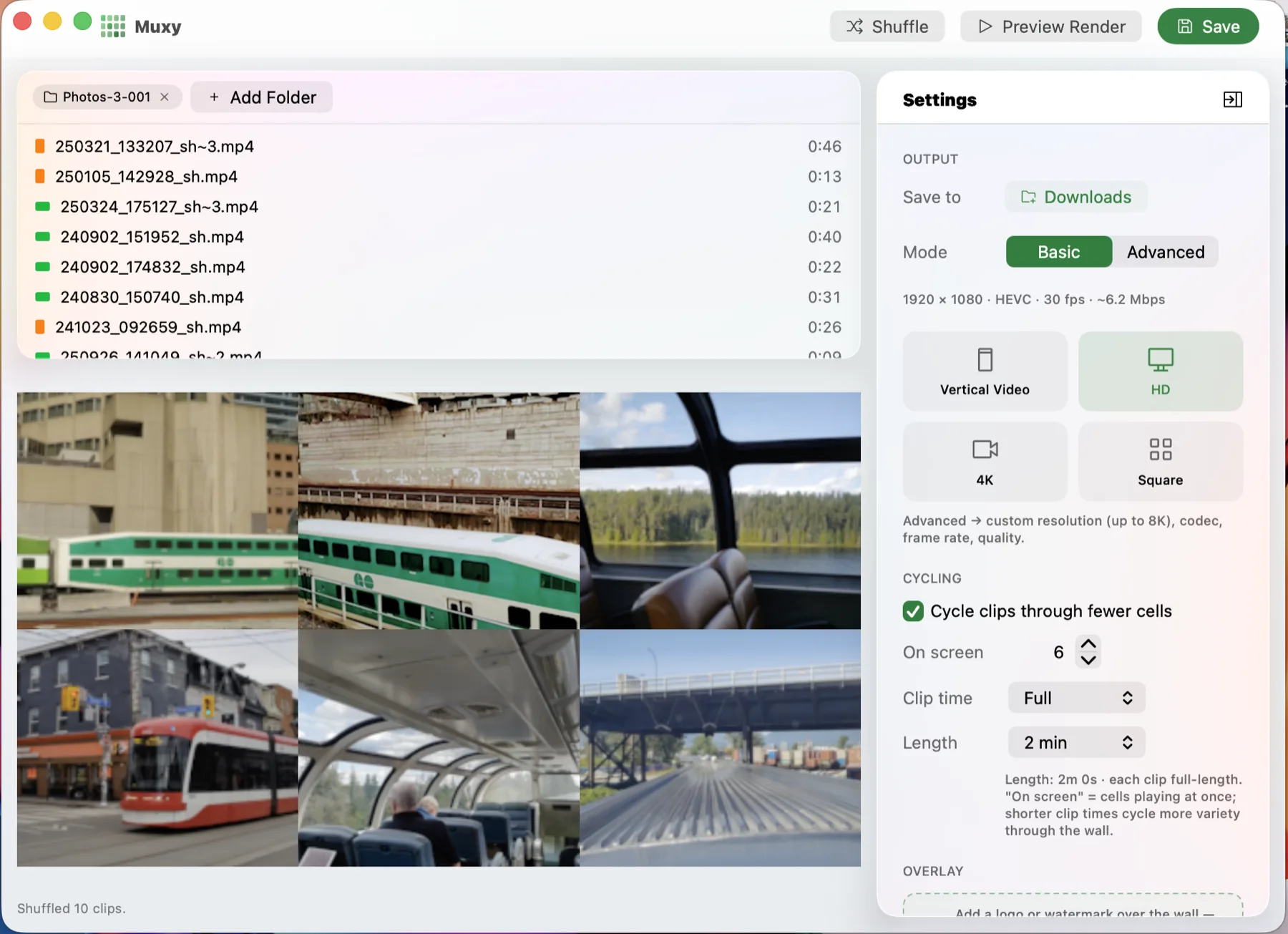
Cycling
Rotate clips through the on-screen slots so every clip gets shown, even when the wall is full.
Any aspect ratio
Landscape, ultrawide, square, or portrait — pick the canvas that fits where the video lands.
Intro skip
Trim shared intros and logos off the front of every clip, all at once.
Progress & cancel
Frame count, sustained fps, and time remaining — cancel any time, keep a playable file.
Hardware HEVC
VideoToolbox HEVC encoding — roughly half the file size of H.264 at equal quality.
Crash-safe MP4
Fragmented output, so an interrupted render still leaves a playable file behind.
05 See it
06 Get it
Muxy is native macOS, built for macOS 26 (Tahoe) and later, and it’s now on the Mac App Store. Drop in a folder and you’re compositing in seconds — on-device, no account, no network.